
The tool explained
The whole series is also in the playlist on our YouTube channel.
-
 1:10
1:10
Free cut list optimizer for plywood, no signup, no parts limit
cutlistlab turns your parts list into a cutting diagram for plywood, MDF, particleboard or melamine in about a minute.
-
 3:21
3:21
Make a cutting plan in cutlistlab: parts, sheet and settings
Enter or paste parts from Excel, sheet and factory edge, kerf and trim, and what you optimize for.
-
 2:53
2:53
Adjust a cutting plan in cutlistlab: manual layout and export
Tick off the cutting order, rotate, lock and drag parts, and export or share the plan.
-
 5:13
5:13
Plywood cabinet cut list: from cabinet size to cutting plan
From cabinet size to parts list and cutting plan: cabinet type, layout, doors, edge banding and the 3D check.
-
 5:11
5:11
Cabinet with drawers and doors: hinges, plinth and attic cabinet
Drawers with dividers and slides, inset or overlay doors, plinth framing and the hardware list.
-
 2:33
2:33
Plywood cut to size at the hardware store: sheet, cost, cut plan
Pick a sheet from the library, compare cost, check the through cuts and print the plan.
-
 3:14
3:14
Reuse offcuts and keep track of projects
Keep offcuts, let them join the next project automatically, and save or sync your projects.
-
 3:38
3:38
Cut battens, baseboard and profiles with the least waste
Lengths instead of sheets: pieces and stock lengths, kerf and minimum offcut, and the shopping list.
Cabinet series: building a cabinet in six parts
Six videos about the cabinet designer: hinges, drawers, a wall of cabinets, a cabinet under a sloping roof, a pull-out pantry and the build manual. Every video comes with an example you can open in the app yourself. The whole cabinet series is also in the Cabinet series playlist on YouTube.
-
 3:52
3:52
Cabinet hinges on the 32 mm system: where every hole goes
Hinges on the 32 mm system: hole row, first hole, cup distance K, hinges per door and the drilling plan in the build manual.
-
 3:42
3:42
Drawer slides explained: which type, and how big is your drawer box?
Drawers and slides: side, undermount or bottom-mount slides, drawer layout, box size, a grooved bottom and the mounting heights.
-
 3:12
3:12
Build a wall of cabinets: three cabinets, one cutting diagram
A wall of three cabinets: gap between cabinets, settings applied to all, a shelf between cabinets, one cutting diagram and one order.
-
 3:22
3:22
Cabinet under a sloping roof: angle, sloping panel and support battens
Cabinet under a sloping roof: high and low side, the angle, the sloping top panel, the divider under the slope and the support battens.
-
 3:42
3:42
DIY pull-out pantry: how the slide system actually works
DIY pull-out pantry: bottom slide upright against a mounting strip, top slide flat, slide length and the close-up in the build manual.
-
 3:53
3:53
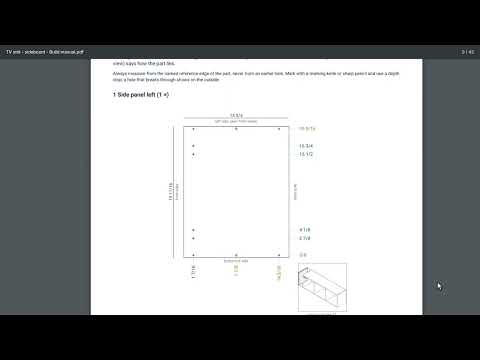
From cut list to build manual: drilling plans, hardware and assembly
From cut list to build manual: cut list, hardware counted from your cabinet, drilling jigs, a drilling plan per part and step-by-step assembly.