
cutlistlab › Manual › Example projects
Chapter 22
Example projects
More than twenty worked-out cabinets to start from, from TV unit to garage cupboard. You adapt them to your own sizes.
Opening an example
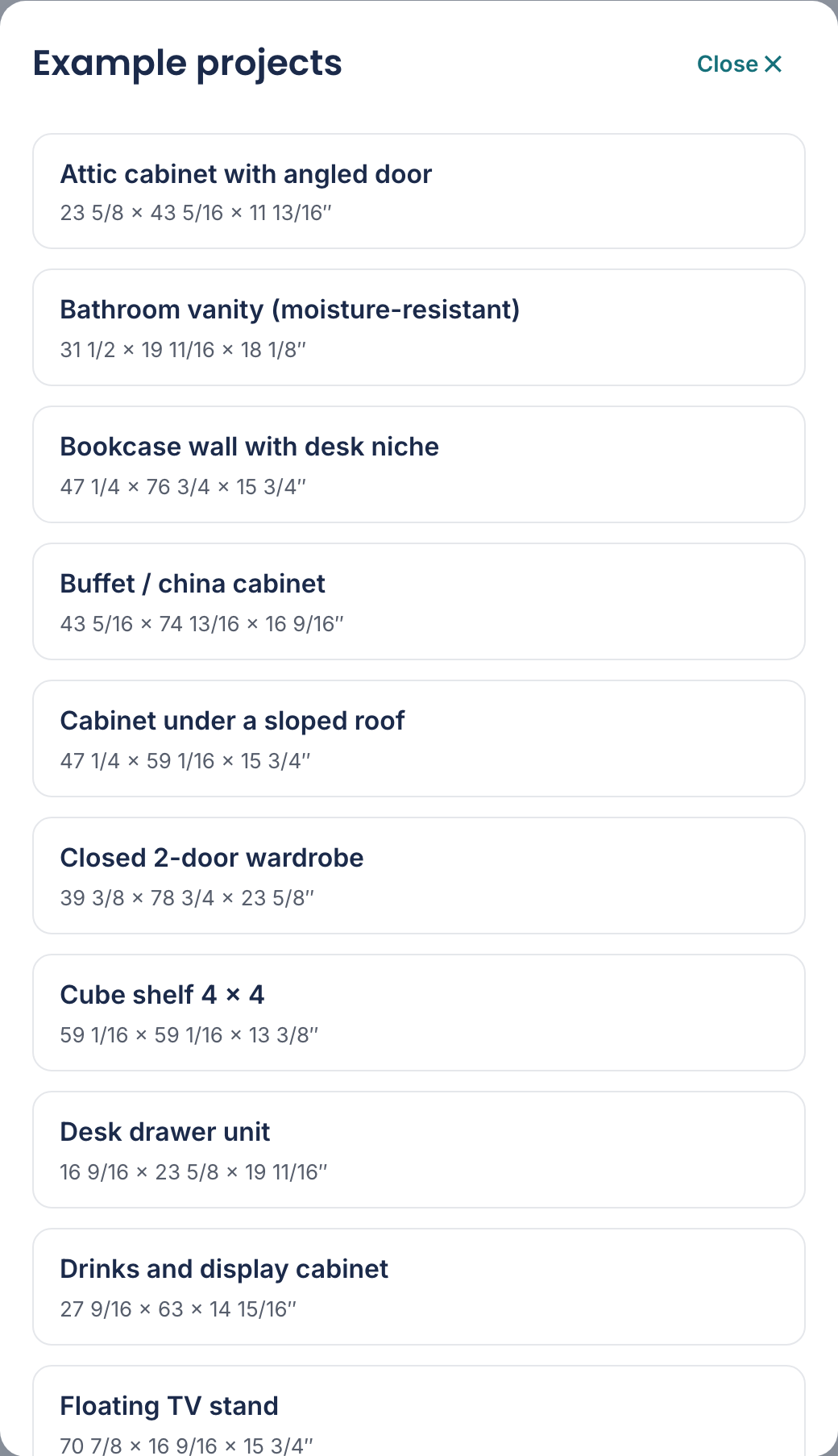
Choose Example projects in the menu behind the project name. You get a gallery of worked-out cabinets: from TV and media wall and Garage storage cabinet to Bathroom vanity (moisture-resistant) and Kids' bookcase.
One example is not a cabinet: Stud wall framing is all bars and therefore opens on the Linear tab. Use it to see how cutting to length works.
Click one and you have a complete project: the cabinet is designed, the parts are there, the sheets are chosen and the cutting plan is ready.
To your own sizes
An example is a starting point, not a fixed template. Go to the Cabinet designer tab, change the height, width and depth to the space you have, and the whole parts list follows.
You may rework the layout too: add compartments, remove doors, add drawers. See The cabinet designer.
One example is mostly fixed: Blind corner cabinet with hidden pull-out. Cabinet A is a corner cabinet with a hidden pull-out in the blind corner and a front pull-out hanging from it; cabinet B stands at right angles in front of it; that can be any cabinet, with doors, drawers or a pull-out. The sizes of A follow from that mechanism: you choose the height and the board thickness, while width and depth follow from the sizes of the neighbouring cabinets and are locked with a padlock. A thicker or thinner board makes A wider or narrower, because the front pull-out keeps its width. The cut list, the slides in What do I need and the 3D view are already right. The build manual of A covers the whole corner: first the hardware on the bottom and top, then the carcass, the short panel with the strip on it, the hidden and the front pull-out on the workbench, and only then sliding in and hanging, with the wall anchors as the last step.
Two examples are washer and dryer cabinets: Washer and dryer cabinet on a pedestal (washer and dryer side by side, each on a support deck with a pull-out shelf and a drawer below) and Stacked washer and dryer cabinet (the washer on the floor, a pull-out shelf and the dryer on a support deck above). You adjust the machine compartments, support decks and pull-out shelves like any other compartment; the checks watch the sizes a machine needs. On cutlistlab in the United States the gallery has a third one, Washer and dryer pedestal for 27-inch machines, in inches for 27-inch front loaders.
Two examples show features you would otherwise switch on yourself in a plain template. Pull-out pantry cabinet is a 30 cm wide kitchen base cabinet with one pull-out; the pull-out is linked cabinet A1 in the cabinet row, with its own cut list and build steps. Workbench cabinet with drawers is a base cabinet for a continuous worktop: four drawers on the 32 mm grid, top rails instead of a solid top and a plinth set back 60 mm. Both also open from the cabinet designer gallery.
The 3D view of cabinet A opens with the corner open: the front pull-out (blue) is forward and to the side, and has taken the hidden pull-out (amber) out of the corner; their numbers have the same colour. When you edit another cabinet in a row, the corner cabinet next to it is shown closed in 3D. The drawers of the hidden pull-out are still in: Open all slides them forward, Close all first slides the drawers back and then closes the corner, so you see the cabinet as it stands in the room. A tap on the front of the front pull-out opens or closes the corner, like a tap on any front. In the parts, the cut list and the parts list of the build manual their parts sit under their own heading, Hidden pull-out and Front pull-out, with the same colour square. In the front view the hidden pull-out is drawn dashed behind the short panel, with its width and its drawers or shelves, and the shelves of the front pull-out dashed over its front; change the number and you see it there straight away. In the sidebar there is the Corner cabinet group. There you also choose Stacked, for a cabinet on top or below (the front becomes 1.5 mm shorter on that side), and Front pull-out, side towards the corner, open or closed with a thin panel. If cabinet B is narrower than 500 mm, the app shows that as a point of attention.
At the top of Corner cabinet you choose under Corner whether the corner is on the Left or on the Right, seen standing in front of the row facing the wall; a small top view in the button shows it. With Right the corner cabinet is the mirror image: the same parts in the same sizes, but the short panel and the hidden pull-out are on the right and the pull-out slides to the left out of the corner. The drawings and the build guide follow, with the words left and right swapped. In a row of cabinets the whole wall is mirrored, after a question: the corner goes to the right, the cabinets in the row stand to its left and the cabinets around the corner along the right short wall; the cabinets themselves, with their doors and drawers, do not change. If the row has a corner with cart, the corner stays on the left. Below that you choose what goes into the pull-outs. Under Hidden pull-out you choose Shelves (0 to 4) or Drawers (1 to 4); the example has three drawers. Drawers are the handiest in this part: once the hidden pull-out is out of the corner, you pull a drawer towards you and do not have to look into the back of the cabinet. Each drawer runs on a pair of ball-bearing slides against the inside of the front and the back end of the hidden pull-out, and the cut list, What do I need and the build manual include them. If you choose more drawers than fit in the height, the app tells you; choose fewer drawers or make the cabinet taller. With shelves, Divider (In the middle) adds a divider in the middle of the hidden pull-out: you then get two compartments side by side and each shelf becomes two half shelves, on dowels at the divider. With Front pull-out, shelves you set the number of shelves in the front pull-out (0 to 4). You can do the same directly in the drawing or in 3D: tap the hidden pull-out and the palette shows shelves or drawers with the number (and with shelves + Divider), tap the front pull-out and you choose the number of shelves; More in the Corner cabinet group opens the group. You do not lay out the compartment of the cabinet itself; a tap on the short panel or the carcass says where the sizes come from.
Also in Corner cabinet you enter the sizes of the neighbouring cabinets, each with Carcass depth (without the overlay front, measured from the wall) and Front thickness. Under Neighbouring cabinet in front (at right angles) they set the short panel: carcass depth plus front plus 50 mm. That leaves 50 mm between the front of cabinet B and the front pull-out for a handle, and A becomes just as much wider or narrower. Up to a carcass depth of about 500 mm the hidden pull-out moves towards the wall; with a deeper neighbouring cabinet it gets longer in its direction of travel and the front pull-out wider, in steps of 50 mm. A 50 mm strip goes on the outside of the short panel over the full height, with its front flush with the carcass of cabinet B; B stands with its side against that strip, so its door or drawer opens freely. The front of Neighbouring cabinet alongside (in the row) sets the thickness of the short panel and of the front of the front pull-out, so all fronts are in one plane. The carcass depth on the right sets the depth of A, so the fronts line up; after pulling out, the front pull-out then always comes 50 mm past that cabinet before it slides sideways, and the handles of the neighbouring cabinets do not have to be offset. The corner cabinet scales along: with neighbouring cabinets of, say, 400 mm deep, A becomes 400 mm deep, the front pull-out 300 mm deep and all slides 350 mm. The hidden pull-out uses the full depth of A, less a few millimetres (here 388 mm), so its front and the drawers in it are as deep as the carcass allows. What stays fixed: at least 100 mm on the wall side next to the hidden pull-out and extensions of 95 mm. If the hidden pull-out gets wider than 400 mm, the front one wider than 520 mm or the slides longer than 600 mm, the app uses heavy-duty slides (19 mm per side instead of 12.7); a line under the neighbouring sizes says so, and What do I need lists them separately. Home centers do not stock them longer than 700 mm: the app shows that as a point of attention. Below about 350 mm the pull-outs get too small to store anything; the app shows that as an error. Each field has an i button with a top view in the sizes of your project.
A corner cabinet can also hang, as a kitchen wall cabinet: Wall-hung blind corner cabinet with tilting drawers. In Carcass and back set Hanging to Cabinet hangers, as for any other cabinet; the back panel then goes into a groove 16 mm from the back, the carcass runs to the wall and the depth stays that of the cabinet on the right, so the fronts stay in line. Cabinet B, at right angles in front, hangs along automatically (and stops hanging when the corner cabinet does); its real depth stays the same. When the corner cabinet hangs and there are drawers in the hidden pull-out, Corner cabinet also shows Tilts when pulled out below Number of drawers, and the palette of the hidden pull-out shows Tilt drawers. With Yes the drawers tilt like any other tilting drawer: batten and block next to the slide make the box narrower, the slide is the longest that fits and the box shorter, so the pivot sits in front of the pull-out when fully out; with several drawers above each other the app picks the box height with the most volume at which they stay clear when tilted together. A line below the choice gives the sizes. If the pull-out is too shallow or too low for the mechanism, the app says so, with fewer drawers as the way out. In 3D the drawers first slide out and then tilt, bottom to top; if they touch, you see it as a collision. The cut list gets tilt battens and links per drawer, two blocks under the lowest drawer and bearer strips under the others; What do I need lists the cabinet hangers and the rail instead of wall anchors, plus rods, bolts and epoxy. The build manual first hangs the empty carcass and then fits the corner, with steps for the bearer strips and the tilt battens.
A corner cabinet can also stand on a plinth, as a kitchen base cabinet: Blind corner base cabinet on a plinth. Fill in Plinth for the corner cabinet, as for any other cabinet; the height of the cabinet is then the carcass plus the plinth, and the carcass stays between 400 and 1000 mm. Setback, Plinth construction and Plinth build-up work as always. The plinth follows the corner: it runs along the front of the corner cabinet, and a corner piece (Plinth corner piece in the cutting list) carries it on at right angles to the side of cabinet B, in line with the plinth of B (a butt joint, as in an ordinary kitchen). The hidden and the front pull-out run above the bottom of the cabinet, so over the plinth; nothing needs to stay free under the corner. If cabinet B or the cabinet on the right stands on a different plinth, at a different height or with a plinth set back further, the tool says the plinth will not meet in the corner, with a button that puts them on the plinth and height of the corner cabinet. In the build manual the corner piece is the last step of the corner: Plinth: corner piece to neighbouring cabinet B.
Another solution for the corner is Corner cabinet with rolling cart, in the gallery under Workshop and garage. In the corner stands a cabinet with a triangular pull-out along each wall, and between them a cart on castors rolls along the diagonal into the corner. Roll the cart out and you pull each triangle forward, with the open side towards the neighbouring cabinet. Open the triangles one at a time: together they touch in front of the corner. On top lies a frame with a worktop of two layers. For this cabinet the panel shows Corner with rolling cart with Cart width, Cart board thickness, Drawer board thickness, with a side drawer in the cart also Side drawer front, Shelves per triangle, Castors (2 swivel + 2 fixed or 4 swivel) and Frame at the top: Battens (solid, on the cross-cut list) or Board strips (from the carcass board, in the cutting list). Under Carcass and back there is only Plinth. Width and depth are fixed: they are the length of the corner along each wall, which follows from the cart and the cabinets next to it. The corner takes the depth without front and the front thickness from the cabinets next to it. The drawing has two tabs: Cart with the side view of the cart, where you fit it out, and Corner with the front views of both sides and the top view. Open all in 3D rolls the cart out and opens a triangle. The build guide starts with an overview and an explanation of pocket holes, then goes step by step: A the cabinet with the frame and the worktop, B the triangles, C the cart. Every drilling plan, and every part lying loose on the workbench, has a small drawing of the corner with that part filled in. In the cutting diagram the angled parts have their real shape; identical triangles come two at a time from one piece, labelled “2 from 1” in the parts list.
You fit out the cart like a cabinet, in the Cart tab: the point at the back on the left, the front on the right. Tap a compartment and choose its contents in the palette: Open, Shelves or Drawers, with the number. Drawers in the front compartment pull out To the front, diagonally out of the corner, while the cart stays put; drawers further back go Sideways, to the left or to the right, and you reach them once the cart is out. For drawers you choose the Distribution of the heights, as for an ordinary cabinet. Use + Shelf and + Divider to divide a compartment further; You look at the chooses whether you look at the left or the right side. The palette says which ball-bearing slide fits. A cart from an older project still has the fixed layout with shelves on two sides; Fit out cart in the palette lets you fit it out. In 3D a tap on a drawer front slides that drawer out, and a tap on the rail at the top of the front rolls the cart out. What do I need lists the slides of the triangles and of each drawer, the shelf supports, the handles, the castors and the screws for the frame.
Is there a corner wall cabinet with a hidden pull-out above this corner? Then set Corner cabinet with hidden pull-out above to Yes in the Corner with rolling cart group. The app puts that corner cabinet, with the cabinet at right angles to it, at the start of the upper row: two real cabinets with their own cut list and build guide, which you change like any cabinet. For this the corner has to be at the far left of the lower row; otherwise Yes is switched off, with the reason below it. If there are already wall cabinets, the app asks first, as they move along. The app works out how long the corner cabinet above is. If it reaches further to the right than the corner, a filler strip with four blocks goes on the right between the corner and the next cabinet, so top and bottom end in line; the worktop runs over it, and it is in the cut list and the build guide. If you change the corner cabinet above, the filler strip follows. Instead of the filler strip a narrow cabinet can go there: Right: narrow pull-out cabinet (4") (if a pull-out of at least 100 mm fits) or Right: cabinet with shelves (4") (from 150 mm inside). Those buttons sit right under the sentence about the right side; the cabinet is named after the corner (with corner A: A1, the second A2), so the other cabinets keep their letter, the worktop of the corner runs over it, the cabinet follows the length of the corner cabinet above, and Right: back to filler strip puts the filler strip back; if the difference is less than 20 mm, there is no filler strip and the app tells you how much less or more deep the wall cabinets need to be. If the corner cabinet above is shorter than the corner instead, a gap is left above on its right up to the end of the corner; the button Filler strip above (4") puts a filler strip there in the upper row (above 150 mm it becomes an open space), and if a pull-out of at least 100 mm fits, Narrow pull-out cabinet (4") puts a narrow hanging pull-out cabinet there, so top and bottom end in line. Along the short wall the cabinet above runs by default to where the corner below ends; its thickness follows the corner cabinet. You set the depth at that cabinet itself, for example 500 mm for a workshop; the left leg of the corner cabinet follows. If the corner cabinet gets shallower (the right leg), the cabinet gets wider, so it keeps ending level with the outside of the corner below. A width of your own stays, at least 500 mm for the hidden pull-out; if it then stops short of the outside of the corner, the app says by how much, through Fix, with a preview of Let it follow (7), then Apply. To cabinet 18 mm: depth per leg takes you to the corner cabinet and opens the Corner cabinet group there: that is where you set the depth of each leg (left and right). If a wall cabinet hangs right next to the corner cabinet, or a tall cabinet stands there that reaches up into the height of the corner cabinet, the right leg follows its depth and that field is locked. With a deeper right leg the cabinet above stays at least 500 mm wide and sticks out past the corner below. Then a filler strip goes on the left below in the same way, so the cabinet along the short wall starts where the cabinet above ends; if there is no cabinet there, an end cover closes the side. There too a narrow cabinet can replace the filler strip: Left: narrow pull-out cabinet (4") or Left: cabinet with shelves (4"), under the sentence about the left side. It stands against the corner, a cabinet along the short wall comes after it, and it follows the width of the cabinet above; Left: back to filler strip puts the filler strip back. If the difference is less than 20 mm, the app says so; Go to the cause takes you to the width of the cabinet above, where you choose where it ends; No removes both cabinets again after asking. An older project with only the sizes of the wall cabinet gets the button Make the wall cabinet above a real cabinet; the filler strip stays the same. The example Corner cabinets above each other in the gallery shows the whole thing.
The demo project on your first visit
Opening the tool for the first time, a project is already there with the badge Example. Example project, so you can see how it works. So you see straight away what a filled-in screen looks like instead of an empty form.
With Replace with my own parts you throw it away and start with your own parts. Change anything in it and it becomes yours automatically: This is now your project. The demo project is only saved once you really do something with it.
Add a part of your own while the example parts are still there, and the tool removes them: Example parts removed. If you wanted to add to the example, Undo puts them back. If you only pick a sheet of your own, they stay and the tool offers to remove them: in the message through Fix with a preview of Remove example when they no longer fit, otherwise above the list with Remove. An example part you change yourself is yours from then on and always stays.