
cutlistlab › Manual › Export and print
Chapter 19
Export and print
Every output format in a row: PDF, print, image, CSV, project file, DXF and STEP, and what each is for.
3D model (STEP) for workshop and CAD
Under Cabinet designer in the Export menu you will find 3D model (STEP). You get one STEP file with your whole cabinet (or row): every panel as a solid part at finished size including edge banding and at real thickness, in the closed position. Each part is named as in the cut list, with the cabinet letter and number first, and carries the material and colour of your design.
The holes and grooves that the build guide calculates are in it as real cut-outs: dowels, cam fittings, shelf supports, hinge cups, mounting plates, runner screws and grooves for back panel, drawer bottom and sliding doors. What cannot be modelled as a hole (for example angled pocket holes) is listed in the window after the download; it is in the build guide. Hardware is not included.
After the download you see what is in it and what to pass on to a workshop. Workshop cut list (CSV) gives you a list with the same names, sizes, quantities, edge banding per side and grain direction, in the format workshops read in. Build guide (PDF) opens the build guide to send along.
The whole project travels along invisibly in the file. If you read the STEP in with Load project, your cabinet is back exactly as it was. A STEP from another program cannot become a cabinet; you can still read the panels in with Parts from 3D model.
Composing the PDF
Choose what goes on paper. The file downloads straight away, so you do not need a print dialog with a PDF option.
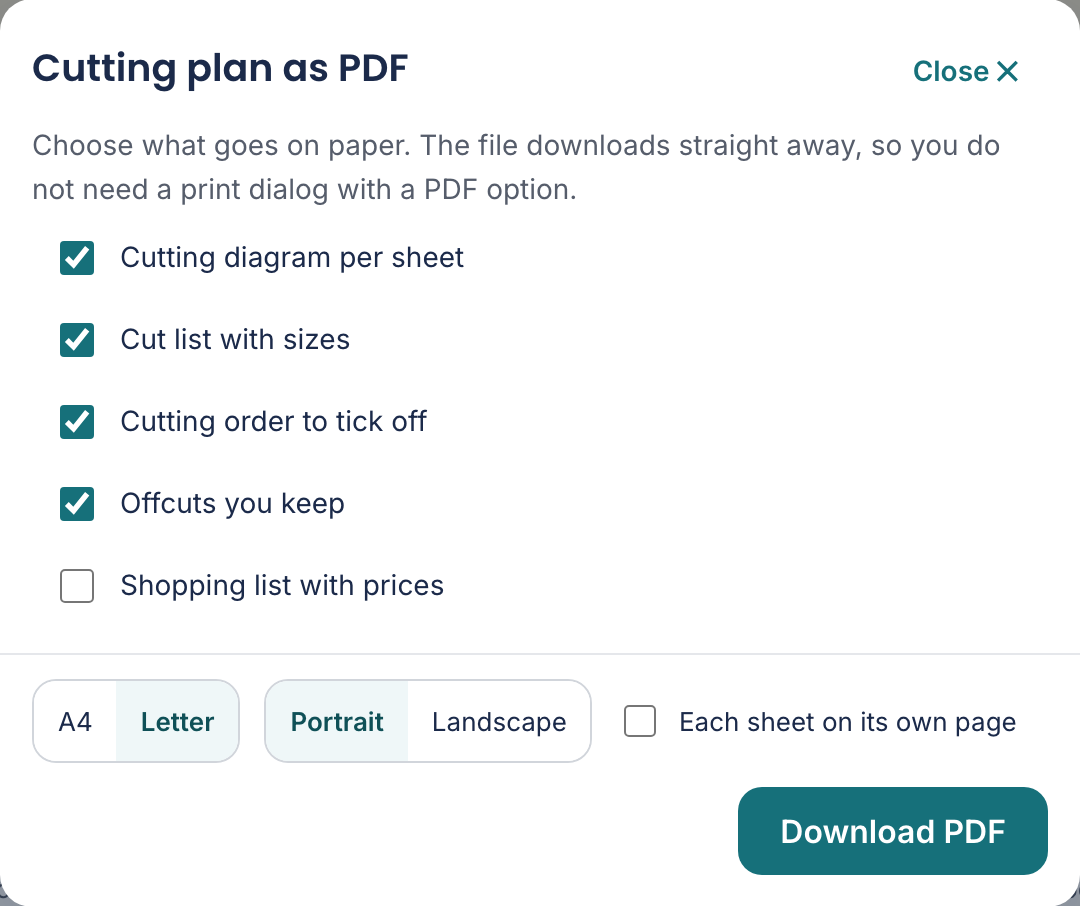
You tick yourself what goes on it. Only what your project actually has is offered: no sheets, no sheet boxes; no bars, no bar boxes.
- Cutting diagram per sheet
- The drawing, per sheet. The core of the document.
- Cut list with sizes
- All pieces with their sizes, to measure against. With both halves you get two tables: one for the sheets and one for the length work.
- Cutting order to tick off
- The cutting order with boxes, to tick off while you cut.
- Offcuts you keep
- What you have left. Handy to know what goes into your shed afterwards.
- Shopping list with prices
- The shopping list with guide prices. See What do I need.
- Cutting diagram per bar
- The drawing per bar: where each piece comes out of your beam or batten. Appears as soon as you have length work.
- Cutting order for bars
- The cut positions per bar, in order and with boxes. The size is the distance from the start of the bar, so kerf and end trim are included.
- Cabinet view
- The elevation of your cabinet, if you designed one.
- Paper size
- A4 or Letter, with Portrait or Landscape. Landscape gives a wide plan more room.
- Each sheet on its own page
- Every sheet on its own page. Pleasant when you lay the pages next to the saw.
Ready? Download PDF. The file downloads straight away; so you need no print dialog with a PDF option.